【Hong Kong】Prepare IR56M for Submission
16-Apr-2026 · Wing Au Yeung
Available in other languages 中文
Available in other languages 中文
What do we need?
Let's make sure the following are done before we move onto IR56M reporting:
- Tax information of employer is updated (Master Data -> Organization)
- Employees' personal information is updated (Staff -> Applicant)
- Please make sure that "Require Tax Filing?" is Disable(Associate -> Placement -> Salary part)
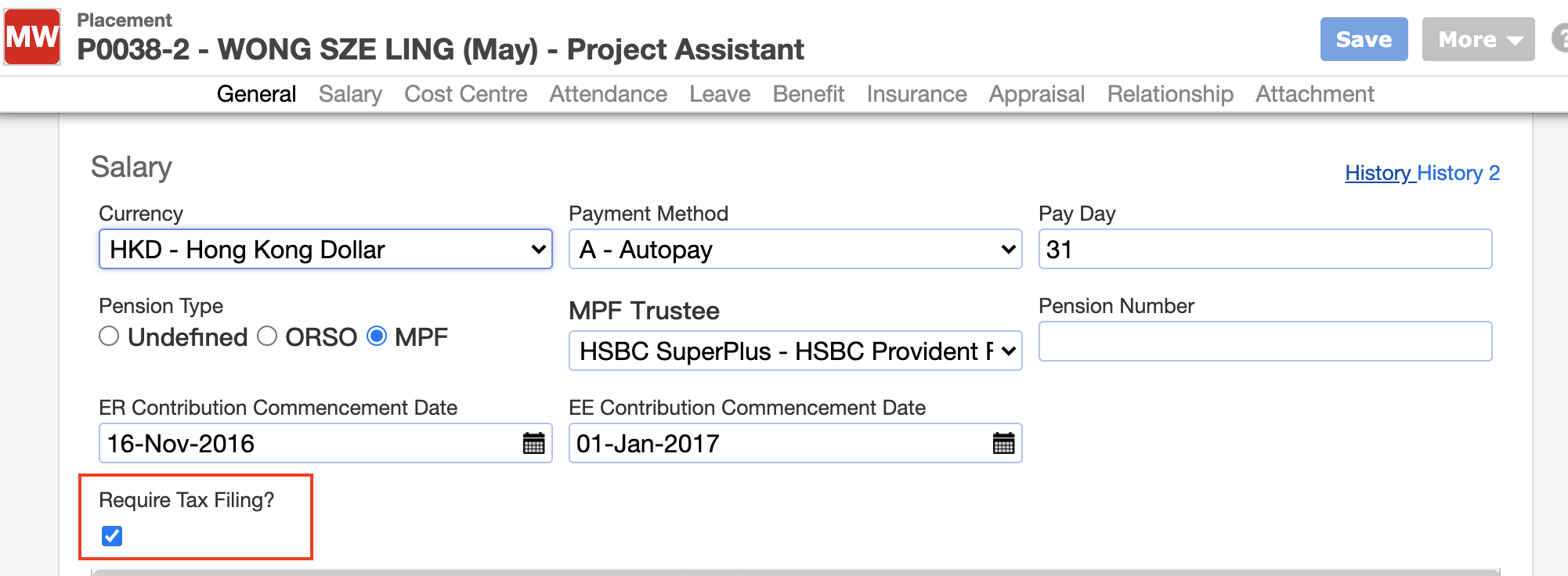
- If the recipient is a company, please take a look at the following page and update the related information Prepare IR56M when recipient is a company
- Payrolls from last April to March are done and posted (Payroll -> Payroll Batch)
- Pay types are correctly configured on whether it is taxable with proper tax category (Payroll -> Job Order Template)
- Please make sure you have select the IR56M Income Type in Job Order Template
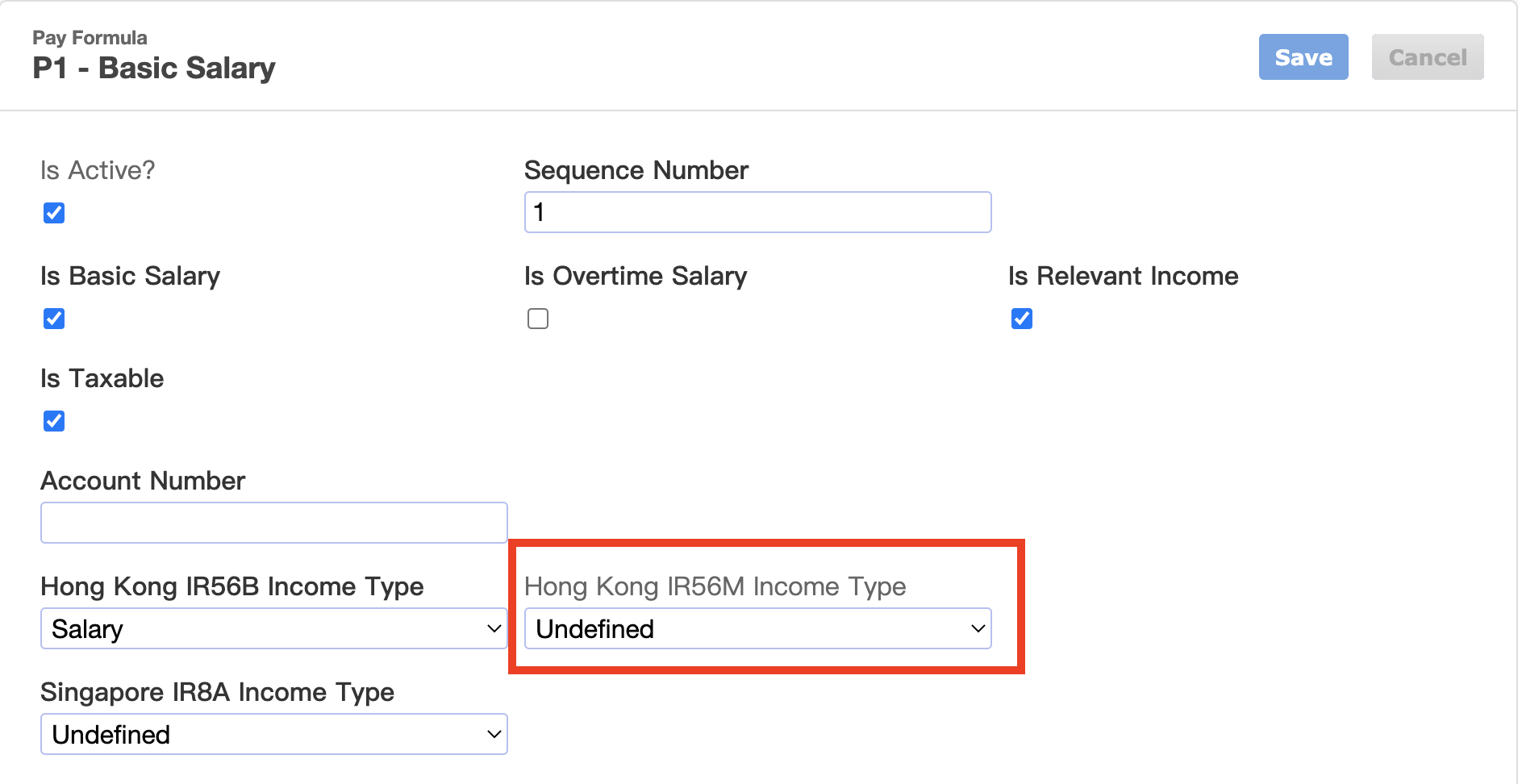
- Please make sure you have select the IR56M Income Type in Job Order Template
➡️ Details setting can take a look at Get Ready for using Taxation
Steps to preparing IR56M for submission
1. Preparing IR56M Batch
- Go to Taxation --> IR56M
- Click "Add New"
- Specify the company and tax period
- Confirm. You now have a blank IR56M batch
- Click "Add Placement"
- Pick who you are reporting tax. Just like payroll.
- Confirm. The staff are being added to the IR56M batch.
2. Reviewing IR56M
- Check and make changes to individual tax forms one by one, or
- Generate the reports to check the amount
- Go to Analytic->Taxation->
- Tax Details Report,
- Tax Summary Report, or
- Go to Analytic->Payroll->Payroll Details by Placement
- remember to choose the date of the tax period
➡️ Take a look at How to handle the "-ve" in tax form? if you find there "-ve" after generating the tax form.
- remember to choose the date of the tax period
- Go to Analytic->Taxation->
3. Submitting IR56M
- Go to More -> Generate XML file
- Save the XML file
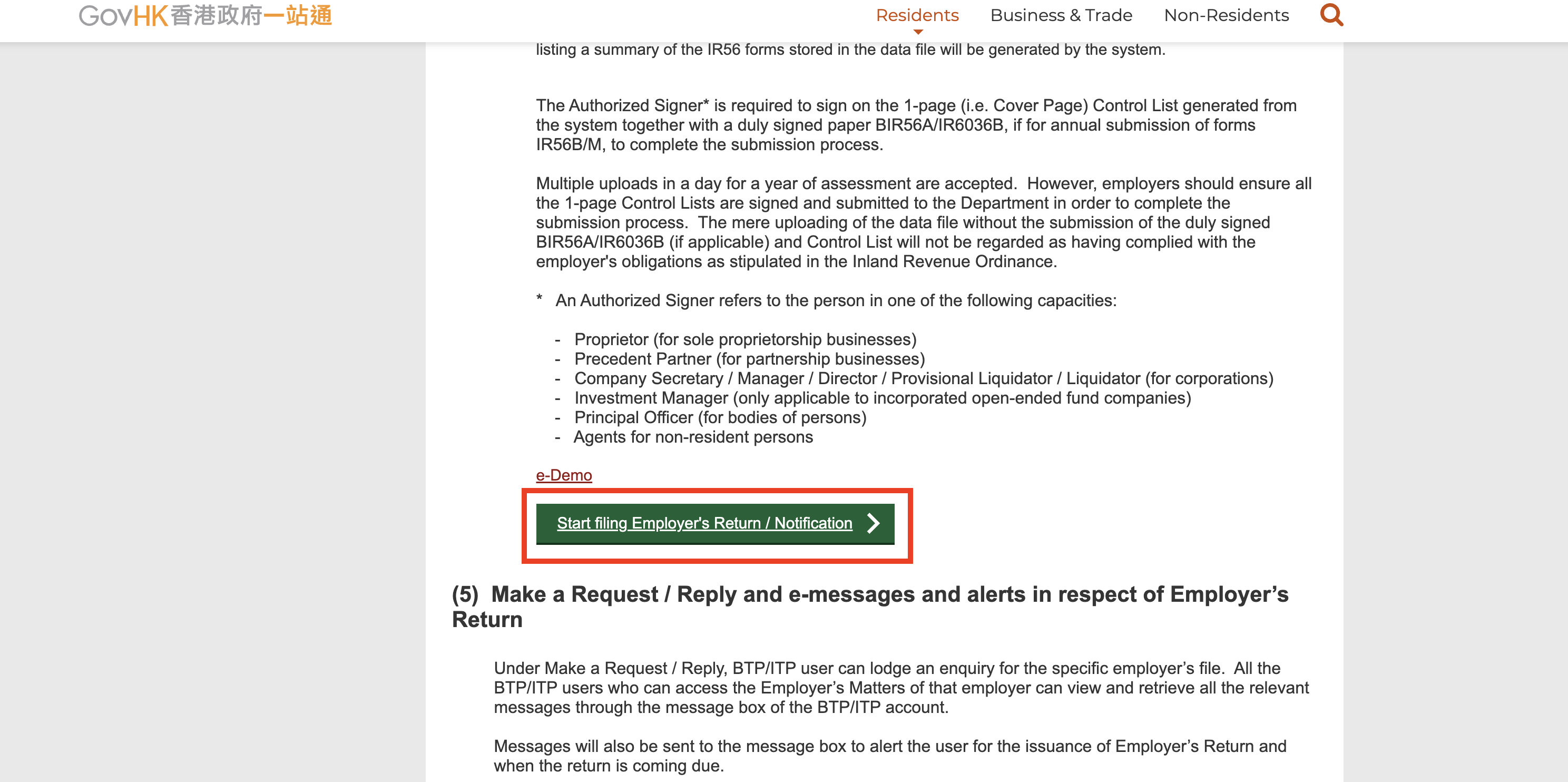
- Go to GovHK website https://www.gov.hk/en/residents/taxes/etax/services/efiling_er.htm and upload the XML file
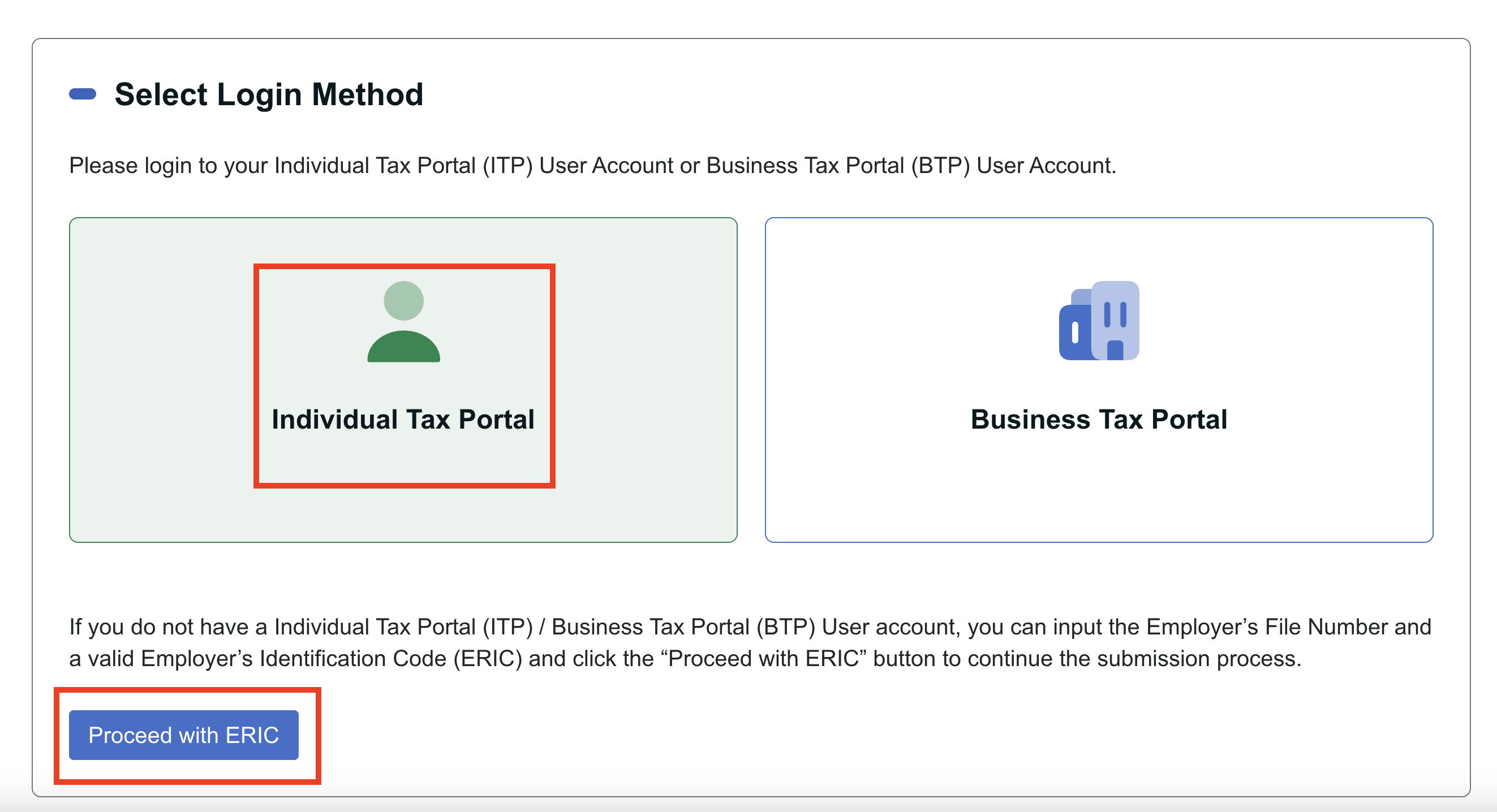
- Select Login Method
- Select Individual Tax Portal (ITP) if you have the account
- If you do not have a Individual Tax Portal (ITP), click the “Proceed with ERIC”
- Choose Mixed Mode and input the information needed(Tax file number, Employer Identification Code)
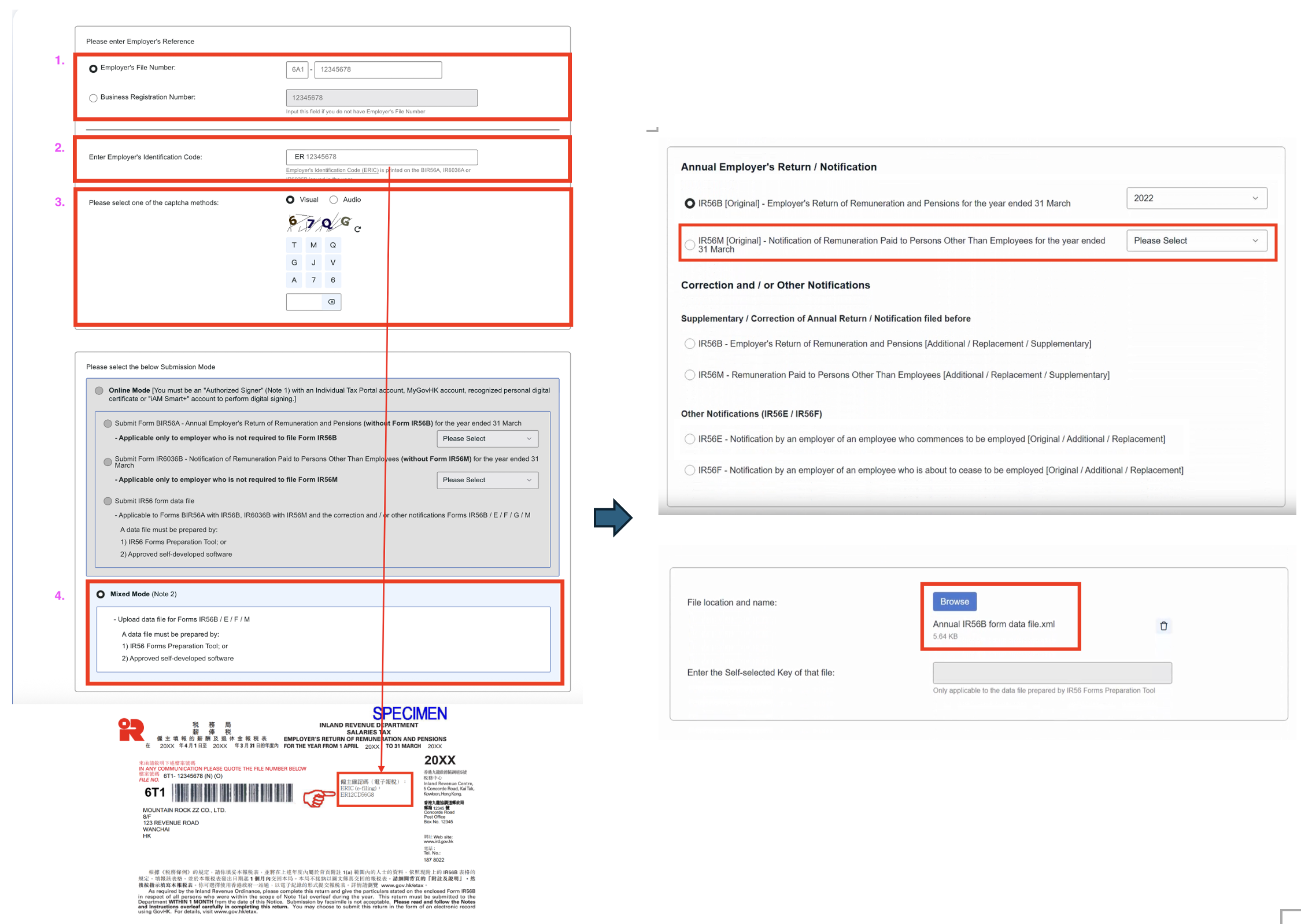
- Check and Submit the information
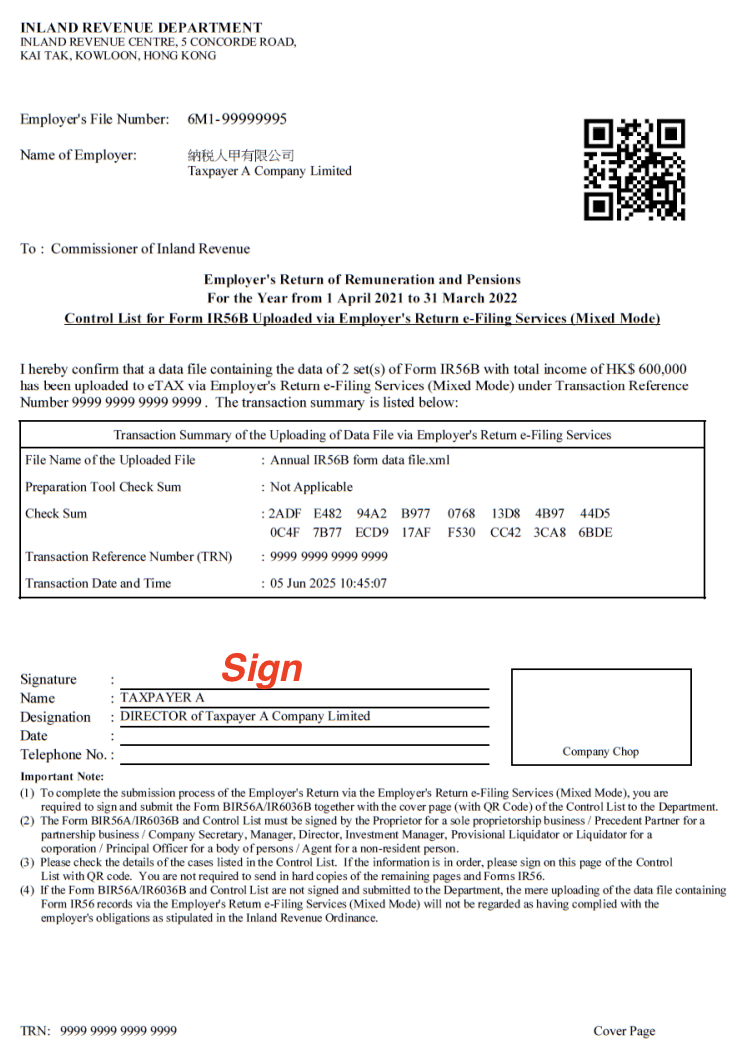
- Save and Print the Acknowledgement and the Control List
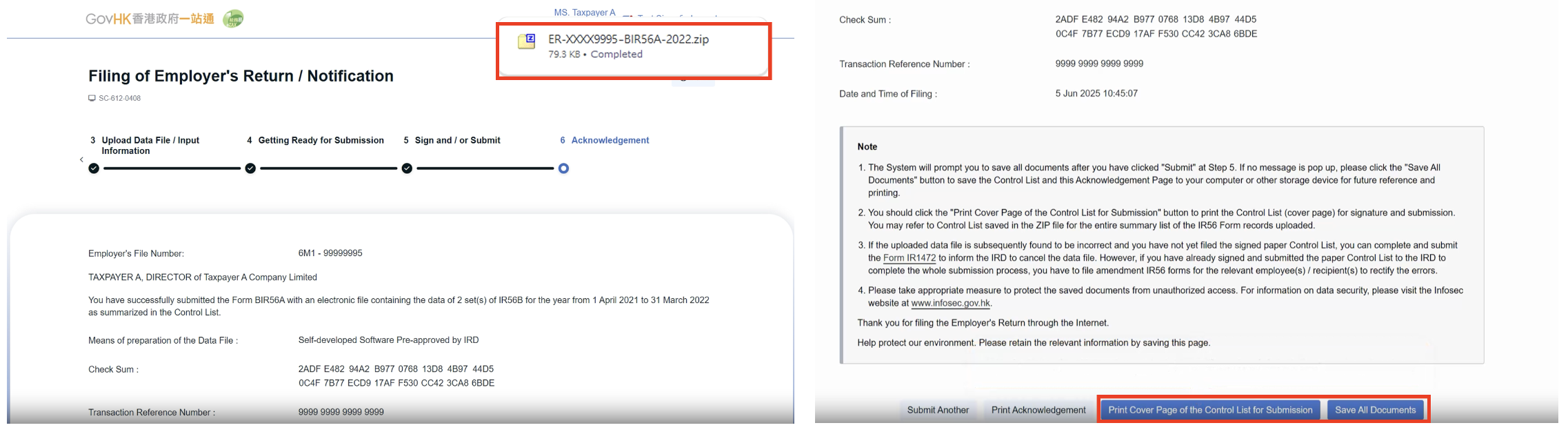
- Sign and Submit the Cover Page of the Control List with a duly completed.
- You can refer to the below websites for the procedures
1. Online Demo
2. User Guide in PDF
4. Delivering IR56M to your staffs
- Click into the form->More -> Print IR56M/ Email IR56M to (staff individual email)
In this page