【Hong Kong】Prepare IR56E for submission
14-Apr-2026 · Wing Au Yeung
其他語言版本 English
其他語言版本 English
What we need
Before submitting IR56E via eTax, ensure the following are done:
- Tax information of the employer is updated (Master Data -> Organization)
- Employees' personal information is updated (Staff -> Applicant)
- Employees' salary information is updated (Staff -> Placement -> Salary)
➡️ Details setting can take a look at Get Ready for using Taxation
Steps to submit IR56E via eTax
1. Creating IR56E Batch
- Go to Taxation -> IR56E
- Click "Add New"
- Specify the company and tax period
- Select the Employer and Submission Date
- Confirm. You now have a blank IR56E batch
- Click "Add Placement"
- Pick who you are reporting tax. Just like payroll.
- Confirm. Then the chosen staff would be added to the IR56E batch.
2. Reviewing IR56E
- Click into the IR56E form to review and edit details
- Verify employee information, Date of Commencement , and income amounts
3. Submitting IR56E for submission
- Go to More -> Generate XML file for eTAX
- Save the XML file
- Go to GovHK website https://www.gov.hk/en/residents/taxes/etax/services/efiling_er.htm and upload the XML file
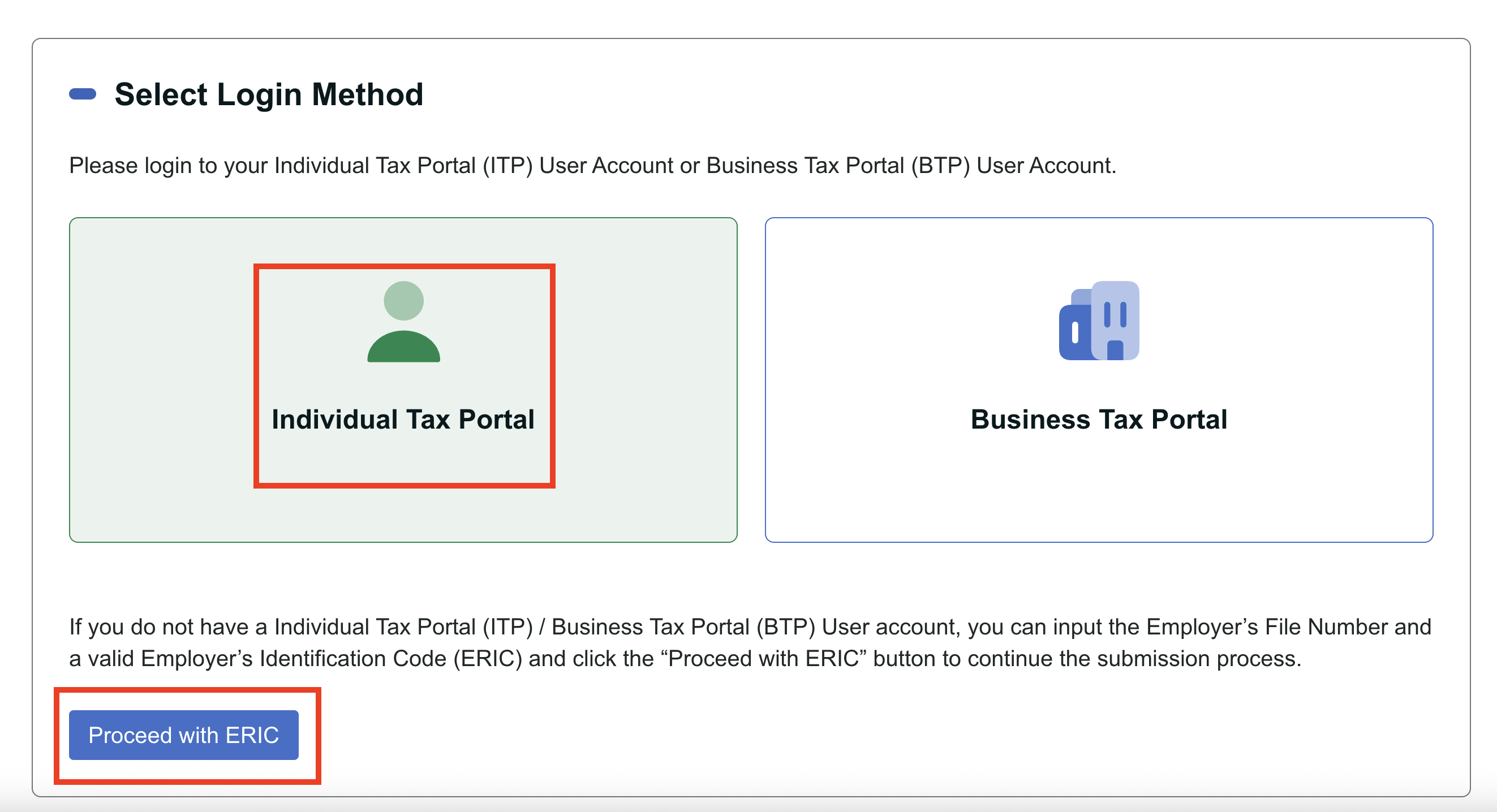
- Select Login Method
- Select Individual Tax Portal (ITP) if you have the account
- If you do not have a Individual Tax Portal (ITP), click the “Proceed with ERIC”
- Choose Mixed Mode and input the information needed(Tax file number, Employer Identification Code)
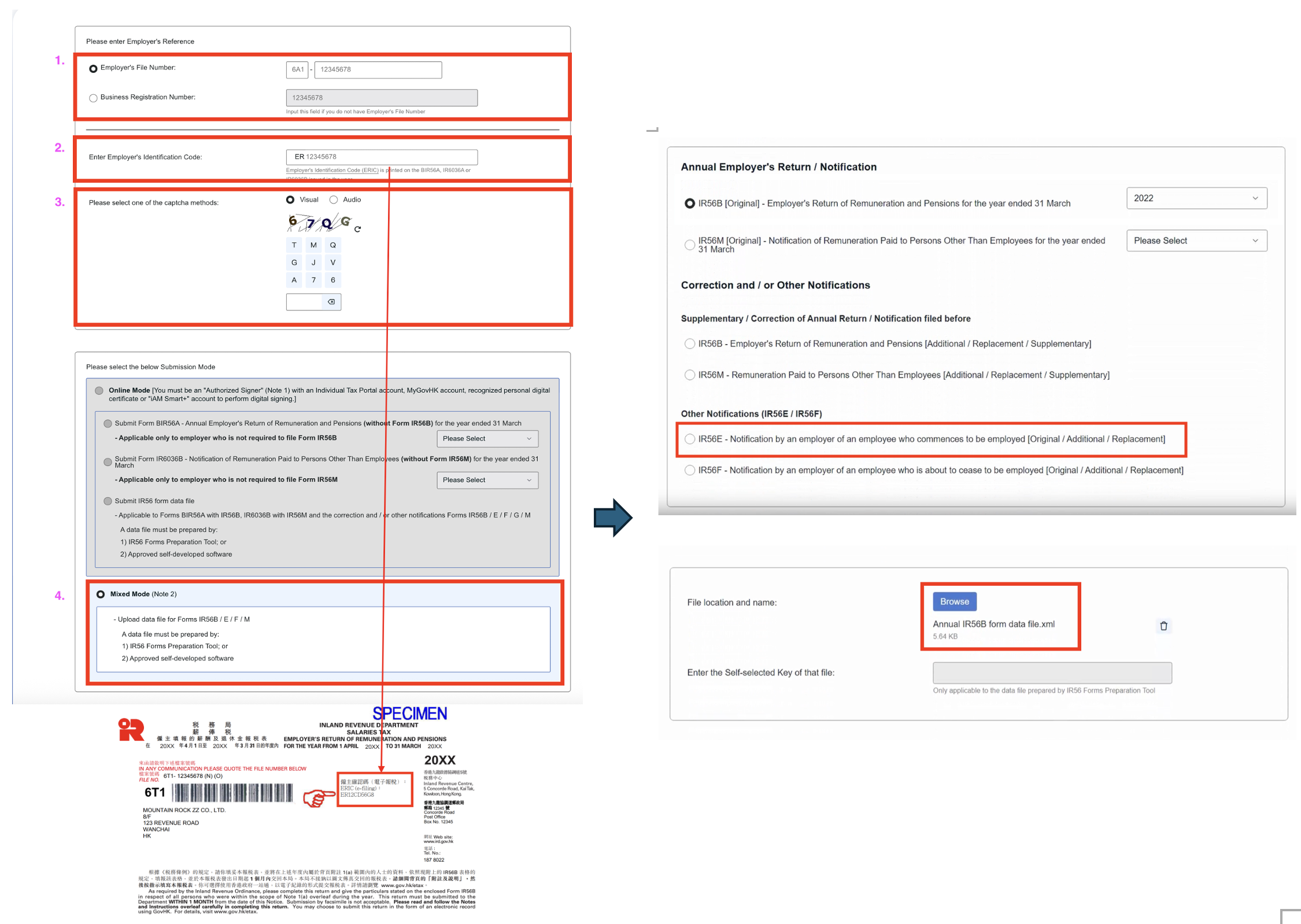
- Check and Submit the information
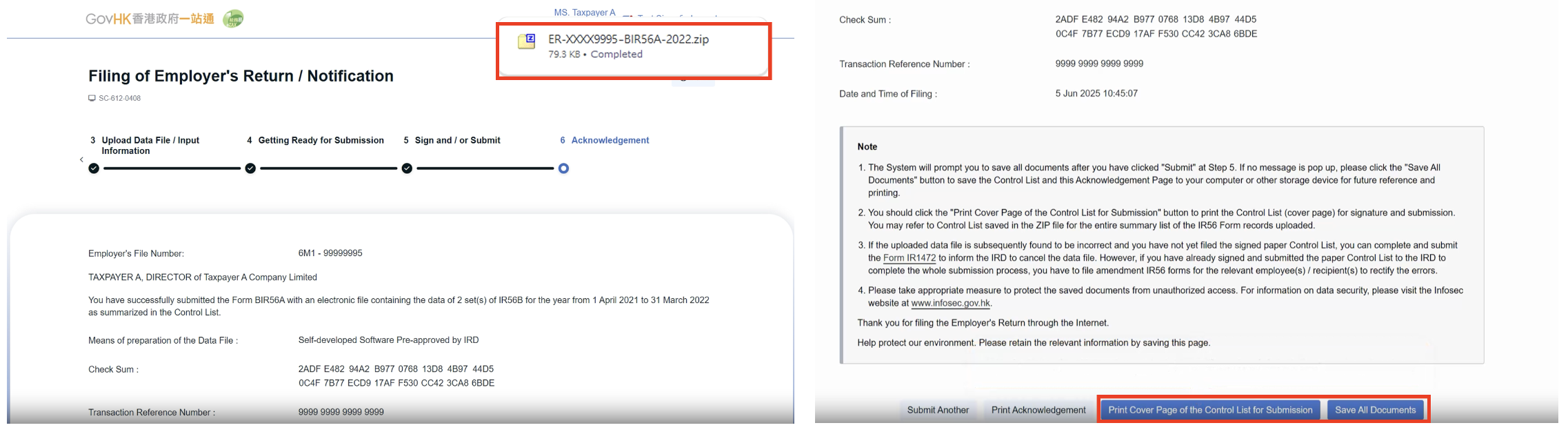
- Save and Print the Acknowledgement and the Control List
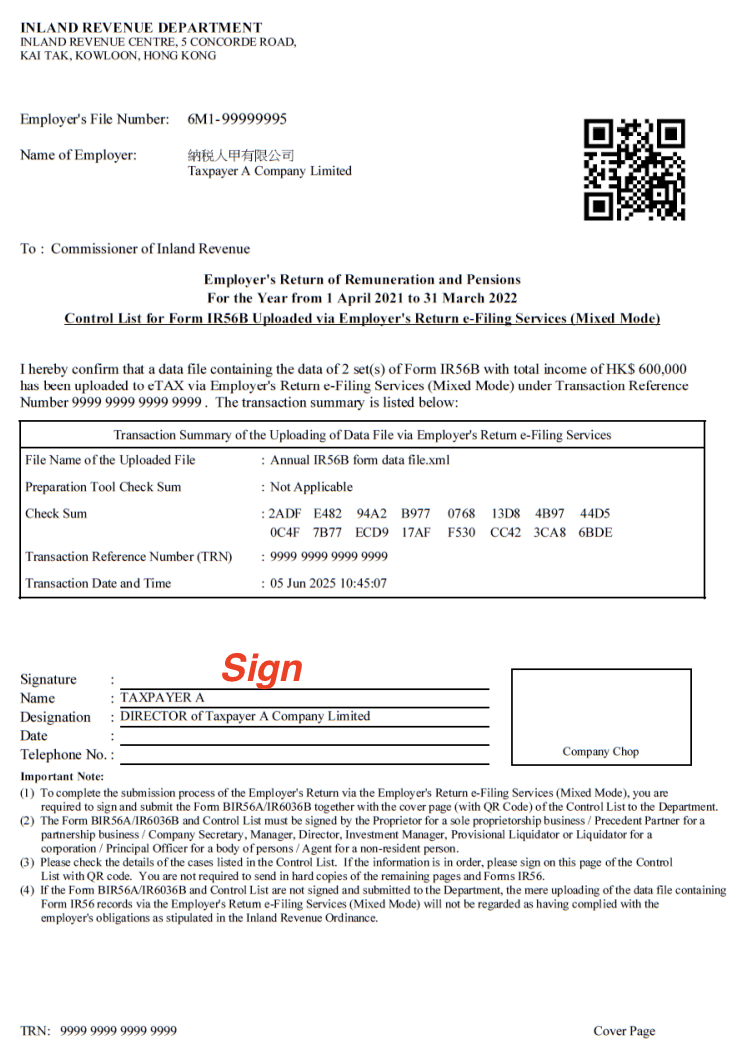
- Sign and Submit the Cover Page of the Control List with a duly completed.
- You can refer to the below websites for the procedures
1. Online Demo
2. User Guide in PDF
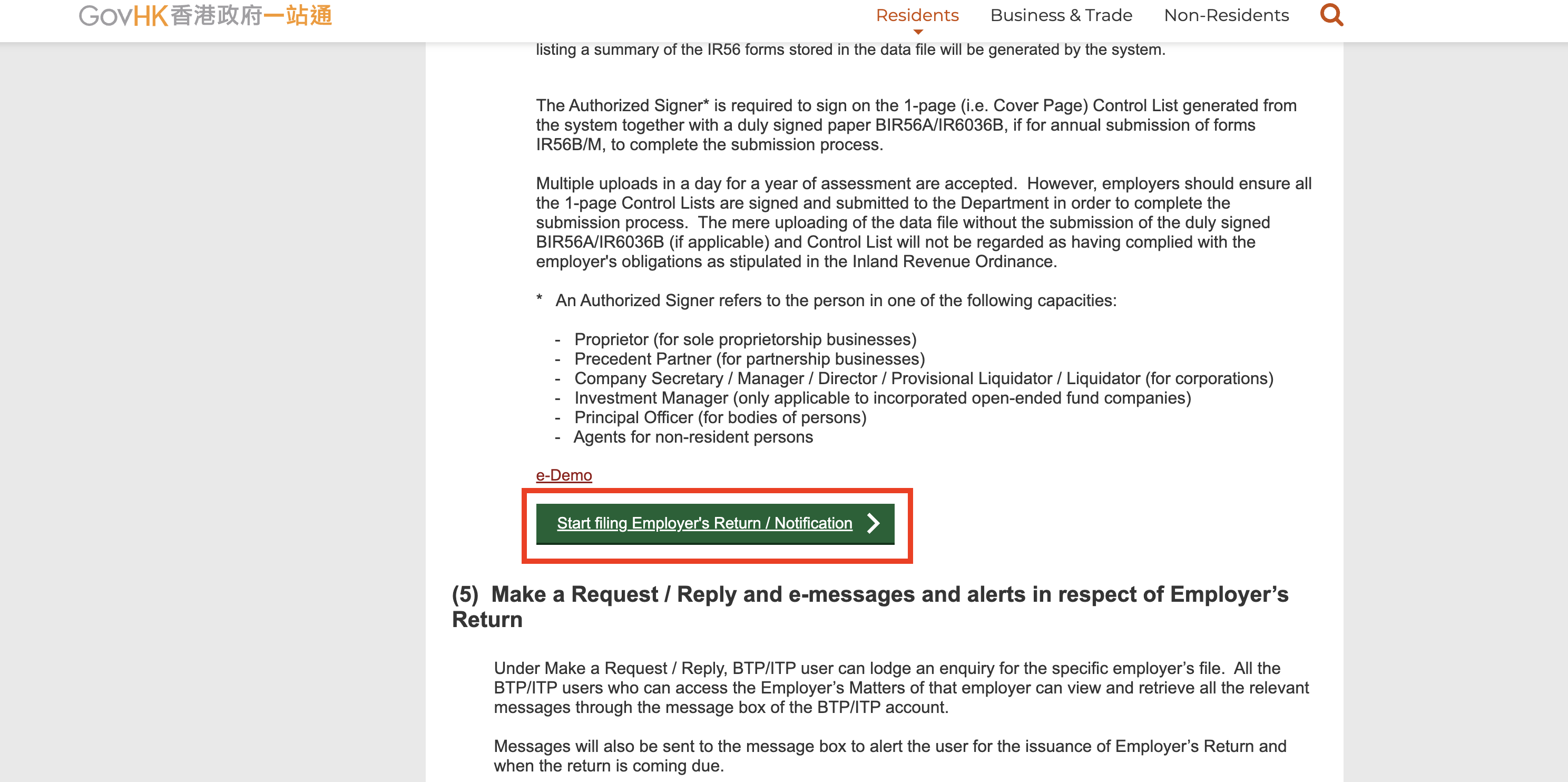
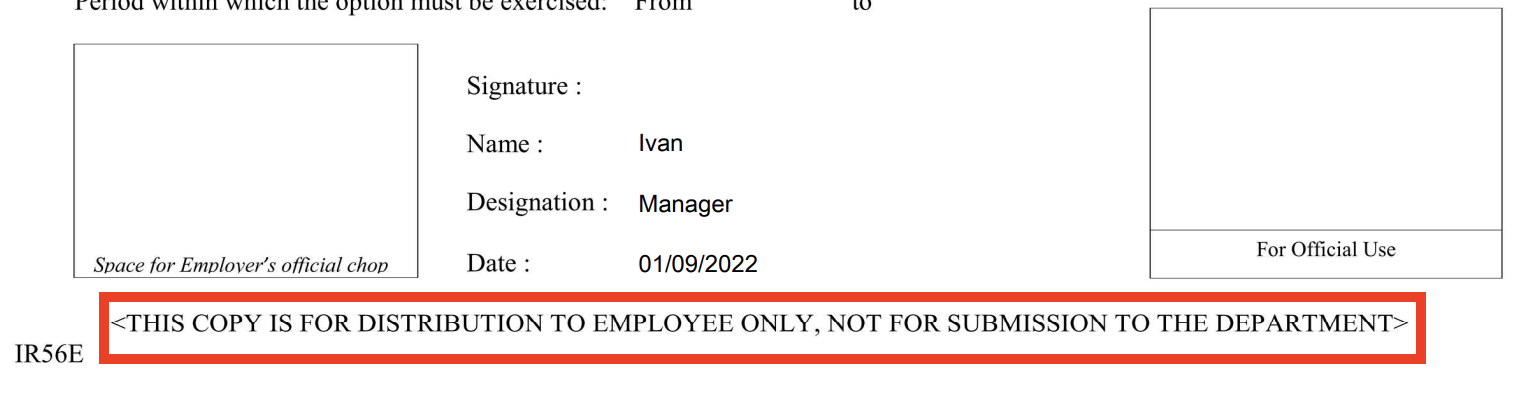
The IR56E generated from "Print IR56E" would have the wordings "< THIS COPY IS NOT FOR SUBMISSION TO THE DEPARTMENT>" at the bottom, which means it cannot submit to IRD directly.
4. Delivering IR56E
- Click into the form->More -> Print IR56E
本頁內容